Skip navigation
🎉
New Year Special!|Limited Time 50% OFF!
00:00:00:00

Free Cross Stitch Pattern GeneratorPhoto to Chart · DMC Colors · Symbol Chart · Floss Estimator

Upload any photo and auto-generate a DMC-coded cross stitch grid

489-color DMC palette pre-loaded — no manual color mapping needed

Export printable symbol chart and floss shopping list in one click

Photo to Cross Stitch Pattern

Convert photos to printable cross stitch charts

Example 1/3: Animal

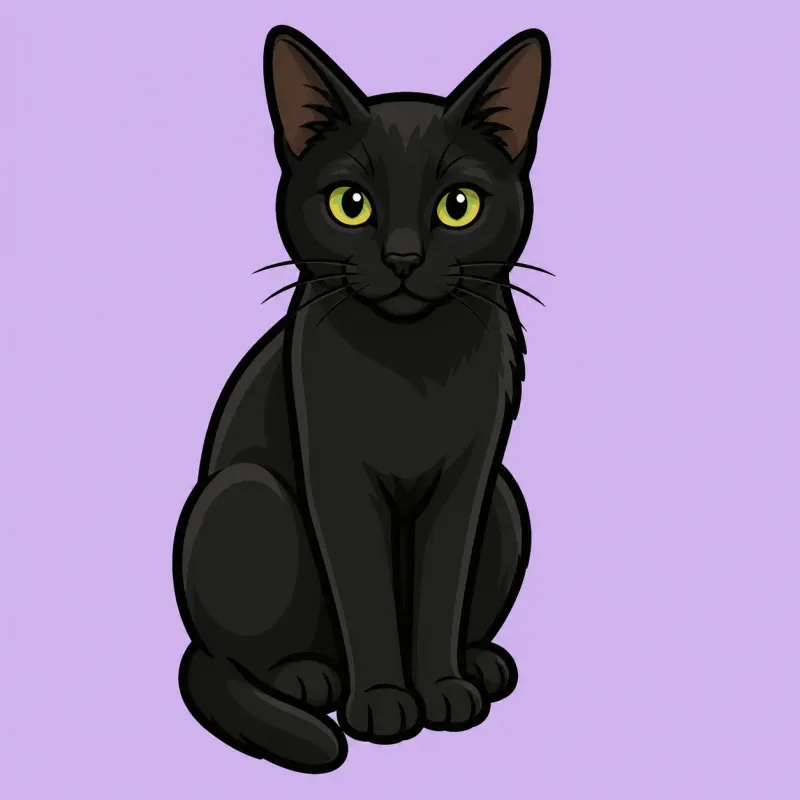
Before

Before

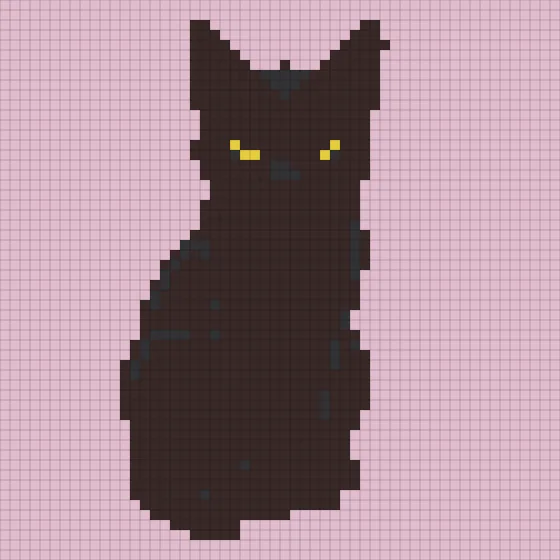
After

After

Original Preview

Click to Upload Image

Supported formats: JPG, PNG, WebP

DMC Floss

What Is a Cross Stitch Pattern Generator?

BeadPattern's free cross stitch pattern generator converts any photo into a printable symbol grid. It maps your image to the complete 489-color DMC floss palette, assigns each color a unique printed symbol, and exports a ready-to-print black-and-white chart plus a floss shopping list.

Common Cross Stitch Terms

Cross StitchDMC FlossAida Cloth14ct16ct18ctSymbol ChartStitch CountFloss YardageCounted Cross Stitch

Why Use This Cross Stitch Generator?

Built specifically for cross stitchers — not a generic pixel converter.

DMC Color Accuracy

Auto-maps to the full 489-color DMC palette for precise thread matching.

Symbol Chart Export

Each DMC color gets a unique Unicode symbol so you can stitch accurately without color printing.

Floss & Fabric Calculator

Estimates yardage per color and calculates finished size for 14ct, 16ct, or 18ct Aida cloth.

How to Make a Cross Stitch Pattern in 3 Steps

1. Upload Your Photo

Upload any JPG or PNG — portrait, pet, landscape, or custom artwork. The tool processes it instantly.

2. Auto-Generate DMC Color Grid

The tool maps your image to DMC floss colors and builds a numbered symbol stitch chart automatically.

3. Download Your Pattern

Export a printable symbol chart and a detailed floss inventory list. Print and start stitching right away.

Professional Cross Stitch Pattern Generator Features

DMC Color System

  • Pre-loaded 489-color DMC floss palette for accurate thread matching
  • Auto color merge reduces the number of distinct DMC colors needed
  • Color system locked to DMC for cross stitch-specific accuracy
  • Supports granularity up to 60 stitches wide for any fabric count

Symbol Chart Export

  • Each DMC color mapped to a unique printable Unicode symbol
  • Black-and-white friendly — stitch accurately without needing color prints
  • High-contrast symbol set chosen for print clarity at small sizes
  • Symbol legend included in every exported chart

Floss & Fabric Calculator

  • Stitch count per color used to estimate floss yardage needed
  • Supports 14ct, 16ct, and 18ct Aida cloth with accurate per-count coefficients
  • Finished size auto-calculated from stitch grid and fabric count
  • Export ready-to-use DMC floss shopping list with quantity per skein

Loved by Cross Stitchers

Join thousands of embroidery artists creating custom patterns every day

Sarah

Cross Stitch Beginner

I uploaded a photo of my dog and had a complete DMC symbol chart ready in minutes. The floss list told me exactly which skeins to buy — no guesswork at all.

Verified User

Maria

Embroidery Teacher

I use this tool to create custom patterns for my students. The symbol chart prints clearly in black and white, which is exactly what traditional cross stitch patterns need.

Verified User

Julia

Etsy Seller

I sell custom cross stitch kits. This generator saves hours per order and the DMC color mapping is spot-on. My customers always finish their projects without running out of floss.

Verified User

Helen

Cross Stitch Enthusiast

Finally a tool that uses real DMC codes! The floss estimator even tells me how many skeins to buy. I've never over-ordered or under-ordered since using this.

Verified User

Anne

Crafts Blogger

The fabric size calculator is brilliant — I enter my stitch count and fabric count and instantly know my finished piece size. Perfect for planning gift projects.

Verified User

Lisa

Cross Stitch Pattern Designer

I use this as a starting point for all my photo-to-pattern commissions. The color merge feature keeps DMC counts manageable for stitchers who don't want 50+ colors.

Verified User

Pricing

Choose the plan that fits your creative needs

Starter

Free

Basic features for getting started

$0Free forever
Core features
  • Max side 50 pixels
  • 5 color systems
  • Custom palette
Free limits
  • Export with watermark
  • 3/mo downloads (login required)
Subscription

Pro

No watermark + Unlimited downloads + Cloud sync

$4.98
$2.49/mo
Billed $29.90/yearSave $5.98
Core features
  • Max side 300 pixels
  • 5 color systems
  • Custom palette
Unlocks
  • Export without watermark
  • Unlimited downloads
  • 500 projects
  • Cloud sync
One-time

Lifetime

One-time purchase, same features as Pro

$79.80
$39.90one-time
Core features
  • Max side 300 pixels
  • 5 color systems
  • Custom palette
Unlocks
  • Export without watermark
  • Unlimited downloads
  • 500 projects
  • Cloud sync

Payments on beadpattern.net are securely processed by Stripe.

Professional human support is available 24/7, and emails are answered within 1 business day.

To cancel a subscription, ask billing questions, or change plans, contact support@beadpattern.net

Cross Stitch Pattern Generator FAQ — Everything You Need to Know

1. What is a cross stitch pattern generator?

A cross stitch pattern generator converts a photo into a printable grid where each cell equals one cross stitch. The tool maps your image to the closest DMC floss colors, assigns symbols to each color, and outputs a chart you can stitch directly. BeadPattern's generator also calculates floss quantities and finished fabric size automatically.

2. Is this cross stitch pattern generator free?

Yes. You can upload a photo and generate a full DMC color symbol chart for free. No account required to get started. Premium features like high-resolution export and AI pattern generation are available on paid plans.

3. What types of cross stitch exist for beginners?

The most common types are full cross stitch (both diagonal stitches forming an ×), three-quarter stitch (one diagonal plus one half), and half stitch (one diagonal only). For beginners, starting with full cross stitch on 14ct Aida cloth using 2 strands of DMC floss gives the clearest results. Patterns generated by this tool use the full cross stitch grid by default.

4. How long does a cross stitch project take?

Time depends on stitch count, fabric count, and your speed. A 50×50 stitch grid on 14ct Aida (about 9×9 cm) typically takes 3–6 hours. A detailed 150×200 stitch portrait can take 40–80+ hours. Most stitchers work 1–2 hours per session and enjoy the meditative pace. The stitch count in the download helps you estimate time before you start.

5. Can I turn a photo into a cross stitch pattern?

Yes — that is exactly what this tool does. Upload any JPG or PNG photo, adjust the grid size and color count, and the tool maps your image to the closest DMC colors. Clear photos with good contrast and a reasonably simple background produce the best results. Portraits, pets, and landscapes with bold colors all convert exceptionally well.

6. What are DMC color codes and why do they matter?

DMC is the world's leading embroidery floss brand. Each of their 489 standard colors has a unique numeric code (e.g., DMC 310 = Black, DMC 321 = Red). Using DMC codes means anyone can buy exactly the right thread color anywhere in the world — the codes are universal. This generator maps every pixel in your photo to the nearest DMC code for seamless floss purchasing.

7. What is a symbol chart and why do I need one?

A symbol chart replaces each color in your pattern with a printed symbol (●, ■, ▲, ✕, etc.). Because neighboring DMC colors can look very similar on screen, symbols let you stitch accurately even when printing in black and white. Every downloaded pattern from this generator includes a symbol chart with a full color-to-symbol legend.

8. How do I estimate the floss I need?

The generator calculates floss yardage automatically. It counts stitches per DMC color and applies per-count coefficients (14ct = 1.3 cm/stitch, 16ct = 1.1 cm/stitch, 18ct = 1.0 cm/stitch). Each DMC skein is 8 meters (8.7 yards). The floss list in your download shows round-up skein counts per color — no manual calculation needed.

9. What fabric count should I use for cross stitch?

Fabric count refers to the number of fabric holes per inch. 14ct Aida is the most popular — each stitch is about 1.8 mm wide, making stitches easy to see and place. 16ct gives a slightly finer result; 18ct is good for small detailed pieces. Beginners should start with 14ct. The generator calculates your finished size for all three common counts.

10. How do I calculate the finished size of my cross stitch?

Finished size (in inches) = stitch count ÷ fabric count. For example, a 100×100 stitch grid on 14ct Aida = 100 ÷ 14 ≈ 7.1 × 7.1 inches (18 × 18 cm). Add at least 2–3 inches of extra fabric on all sides for framing. The generator displays your finished size automatically when you adjust grid settings.

11. Can I customize or reduce the number of DMC colors in my pattern?

Yes. Use the color count slider to merge similar DMC shades into fewer colors — ideal for beginners who want a simpler project or to reduce floss purchasing. You can also manually exclude specific colors using the editor's color panel. Most photos produce 15–40 distinct DMC colors by default.

12. What makes a good photo for cross stitch?

The best photos have: (1) a clear, well-lit subject against a simple background, (2) high contrast between subject and background, (3) fewer than 30 dominant colors for a manageable floss count, and (4) a resolution of at least 400×400 pixels. Portraits, pets, and landscapes with bold color blocks convert best. Avoid photos with very fine details — they are lost at typical grid sizes.

13. What image formats are supported?

JPG and PNG are supported. For best results, use a clear high-contrast photo. Transparent PNG backgrounds are treated as white. Image size up to 10 MB is accepted.

14. How many DMC colors will my pattern have?

That depends on your photo and the granularity setting. The generator automatically merges similar colors and typically produces 15–40 distinct DMC colors. A simple pet portrait might yield 12–20 colors; a complex landscape might have 30–50. Use the color count slider to reduce the number if needed.

15. Can I edit individual stitch colors after generating the pattern?

Yes. After generating, switch to manual edit mode. Use the pencil or fill tool to repaint individual cells with any DMC color in the palette. You can also bulk-exclude a color (treat it as background) or highlight a single color to check its distribution. All edits support undo/redo.

16. Can I adjust the size of the cross stitch grid?

Yes. Use the granularity setting to control how many stitches wide your pattern is. The default is 60 stitches, which produces roughly a 10–15 cm finished piece on 14ct Aida. Increase for larger, more detailed pieces; decrease for quick beginner projects.

17. What canvas size should I choose for a beginner cross stitch?

For beginners, start with a 50×50 to 80×80 stitch grid. At 14ct this gives a finished piece of about 9–14 cm — achievable in a day or two. Cut your Aida cloth with at least 5 cm of extra fabric on all sides. Always iron Aida flat before stitching and use a hoop or frame to keep tension even.

18. How do I print the cross stitch pattern for offline stitching?

After generating, click Download to export a PNG symbol chart. Print at actual size on A4 or Letter paper. If the grid is large, use 'Fit to page' in your printer settings or print across multiple sheets. The symbol legend is included on the chart so you can stitch without a computer nearby.

19. How do I use the DMC floss shopping list to buy the right supplies?

The exported floss list shows each DMC color code, color name, stitch count, and number of skeins to buy. Search by DMC code on Amazon, AliExpress, your local craft store, or the official DMC website. Standard DMC 6-strand skeins are 8 meters each. The list already rounds up quantities so you will have a small buffer for mistakes.

20. What is the difference between full cross and half cross stitch in this pattern?

This generator produces full cross stitch patterns — each grid cell gets both diagonal stitches forming a complete × shape. Full cross coverage gives the sharpest image reproduction. Half cross (tent stitch) uses one diagonal per cell and works better for very fine details, but is not recommended when converting photos because it creates a tilted texture that can look uneven.

Start Your Cross Stitch Pattern Now

Convert any photo to a custom DMC cross stitch chart — free to use