Skip navigation
πŸŽ‰
New Year Special!|Limited Time 50% OFF!
00:00:00:00

Free Diamond Painting Pattern GeneratorPhoto to Chart Β· Diamond Dotz Colors Β· Drill Inventory

β– Upload any photo and auto-generate a Diamond Dotz numbered grid

β– 461-color Diamond Dotz palette pre-loaded β€” no manual color picking

β– Export printable chart and exact drill count list in one click

Photo to Diamond Pattern

Convert photos to diamond painting charts

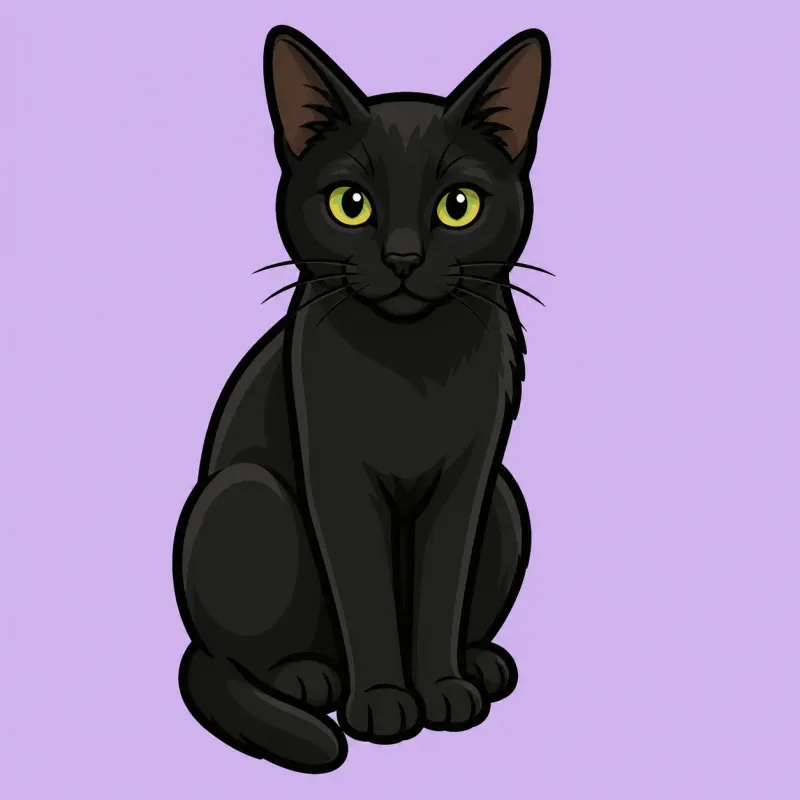
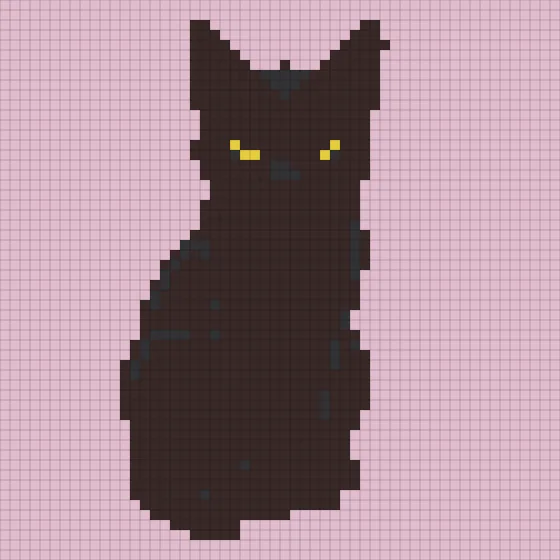
Example 1/3: Animal

Before

Before

After

After

Original Preview

Click to Upload Image

Supported formats: JPG, PNG, WebP

Diamond Dotz

What is a Diamond Painting Pattern Generator?

BeadPattern's free diamond painting pattern generator converts any photo into a precise drill chart. It auto-maps colors to the Diamond Dotz palette, generates a numbered grid, and exports a drill inventory list β€” everything you need to start your custom diamond painting project.

Common Diamond Painting Terms

Diamond PaintingDiamond DotzDrillRound DrillSquare Drill5D Diamond PaintingDiamond ArtDiamond Painting Chart

Why Use This Diamond Painting Generator?

Unlike generic pixel tools, this generator is tuned specifically for diamond painting.

Diamond Dotz Color Mapping

Auto-match to the 461-color Diamond Dotz palette for precise drill color selection.

Drill Inventory Export

Exact drill counts per color code so you can order exactly the right materials.

Printable Grid Chart

High-resolution numbered chart exported as a PNG β€” ready to print as your canvas blueprint.

How to Make a Diamond Painting Pattern in 3 Steps

1. Upload Your Photo

Upload any JPG or PNG photo β€” portrait, pet, landscape. The tool processes it instantly.

2. Auto-Generate Your Diamond Grid

The tool maps your image to Diamond Dotz colors and builds a numbered drill chart automatically.

3. Download Your Pattern

Export a printable grid image and a drill inventory list. Print and start your diamond painting project right away.

Professional Diamond Painting Generator Features

Diamond Dotz Color System

  • Pre-loaded 461-color Diamond Dotz palette for accurate drill matching
  • Auto color merge reduces the number of distinct drill colors needed
  • Color system locked to Diamond Dotz for diamond-specific accuracy
  • Supports granularity up to 80 squares for any canvas size

Smart Photo Conversion

  • Instant pixelation from any portrait, pet, or landscape photo
  • Dominant-color algorithm prevents dark-border artifacts
  • Adjustable pixel granularity for fine or large-format patterns
  • Edge-optimized mapping for clean diamond grid outlines

Export & Print Ready

  • PNG grid export with numbered drill color symbols
  • Drill count inventory list for easy material ordering
  • Manual edit mode to refine individual drill colors
  • Undo/redo support for confident manual adjustments

Loved by Diamond Painters

Join thousands of diamond artists creating custom patterns every day

Rachel

Diamond Painting Beginner

I uploaded a photo of my cat and had a Diamond Dotz chart ready in minutes. The color mapping is spot-on β€” every drill color matched perfectly when I placed my order.

Verified User

Sandra

Mom / DIY Crafter

Made a custom diamond painting of our family portrait. The drill count list was incredibly accurate β€” no leftover drills, no shortage. Highly recommend to any diamond painter.

Verified User

Tina

Etsy Seller

I sell custom diamond painting kits on Etsy. This generator saves me hours per order. The numbered grid is clear and my buyers love the quality of the patterns.

Verified User

Mei

Diamond Art Enthusiast

Finally a tool that uses the real Diamond Dotz color system! No more guessing which drill to buy. The export chart is clean and perfect for both round and square drills.

Verified User

Laura

Art Therapist

I use diamond painting as relaxation therapy with my clients. This generator makes custom meaningful patterns for each person. The process is calming and the results are beautiful.

Verified User

Amy

Diamond Painting Blogger

Covered this tool in my blog and my readers are obsessed. The color merge feature is a game changer β€” it simplifies complex photos into achievable drill counts without losing character.

Verified User

Pricing

Choose the plan that fits your creative needs

Starter

Free

Basic features for getting started

$0Free forever
Core features
  • β– Max side 50 pixels
  • β– 5 color systems
  • β– Custom palette
Free limits
  • β– Export with watermark
  • β– 3/mo downloads (login required)
Subscription

Pro

No watermark + Unlimited downloads + Cloud sync

$4.98
$2.49/mo
Billed $29.90/yearSave $5.98
Core features
  • β– Max side 300 pixels
  • β– 5 color systems
  • β– Custom palette
Unlocks
  • β– Export without watermark
  • β– Unlimited downloads
  • β– 500 projects
  • β– Cloud sync
One-time

Lifetime

One-time purchase, same features as Pro

$79.80
$39.90one-time
Core features
  • β– Max side 300 pixels
  • β– 5 color systems
  • β– Custom palette
Unlocks
  • β– Export without watermark
  • β– Unlimited downloads
  • β– 500 projects
  • β– Cloud sync

Do not want a subscription? Buy permanent exports

Each full export uses 1 credit and never expires. Best for occasional pattern makers.

20 Export Credits

Never expires, about $0.20 per full export

$3.99one-time
  • β– Full no-watermark exports
  • β– Unlocks Pro-size canvas while credits remain
  • β– No subscription benefits included
Recommended

30 Export Credits

Never expires, about $0.20 per full export

$5.99one-time
  • β– Full no-watermark exports
  • β– Unlocks Pro-size canvas while credits remain
  • β– No subscription benefits included

100 Export Credits

Never expires, about $0.20 per full export

$19.99one-time
  • β– Full no-watermark exports
  • β– Unlocks Pro-size canvas while credits remain
  • β– No subscription benefits included

Payments on beadpattern.net are securely processed by Stripe.

Professional human support is available 24/7, and emails are answered within 1 business day.

To cancel a subscription, ask billing questions, or change plans, contact support@beadpattern.net

Diamond Painting FAQ β€” Everything You Need to Know

1. What is a diamond painting pattern generator?

A diamond painting pattern generator converts a photo into a numbered drill chart. Each color is mapped to a Diamond Dotz color code, and the output grid tells you exactly where to place each drill on your canvas.

2. Is this diamond painting generator free?

Yes. You can upload a photo and generate a diamond painting chart for free. No sign-up required to get started.

3. What is 5D diamond painting?

5D diamond painting uses faceted resin drills that reflect light from five directions, giving finished artwork a vivid, sparkling 3D effect. The '5D' refers to the five-sided facets on each drill. This generator creates charts fully compatible with standard 5D diamond painting drills from any major brand.

4. What is the difference between full drill and partial drill diamond painting?

Full drill means every part of the canvas is covered with drills β€” the finished piece has no exposed background. Partial drill covers only the focal area while the rest is pre-printed. For custom photo patterns generated by this tool, full drill gives the most complete and detailed result.

5. How long does diamond painting take to complete?

Time depends on canvas size, drill count, and your pace. A 20Γ—20 cm partial drill canvas takes 3–5 hours. A 40Γ—50 cm full drill canvas typically takes 20–40 hours spread over several sessions. Most hobbyists work 1–2 hours per session and enjoy the meditative process.

6. What color system does this tool use?

The tool uses the Diamond Dotz color system β€” a 461-color palette. This ensures the generated drill colors are compatible with standard diamond painting kits and supplies.

7. What is the difference between round and square drills?

Round drills are easier to place and more forgiving for beginners. Square drills create a tighter mosaic look with no gaps. This generator works as a color chart for both types β€” just use the color codes to order your preferred drill shape.

8. How many colors does the Diamond Dotz palette have?

The Diamond Dotz palette has 461 colors. The generator automatically maps your photo to the closest matching colors in this palette, and merges similar colors to reduce the total number of drills you need β€” typically 15–40 colors for most photos.

9. What tools and supplies do I need to start diamond painting?

You need: (1) a printed or pre-printed adhesive canvas, (2) diamond drills in the required colors, (3) a stylus pen (usually included in kits), (4) a wax pad to grip drills, and (5) a tray to sort drills. This generator provides the drill inventory list so you know exactly which colors and quantities to purchase.

10. Can I customize or reduce the number of colors in my pattern?

Yes. Use the color count slider to merge similar shades into fewer colors β€” ideal if you want a simpler pattern or plan to buy fewer drill varieties. You can also manually exclude specific colors after generation using the editor's color panel.

11. What makes a good photo for diamond painting?

The best photos have: (1) a clear, well-lit subject against a simple background, (2) high contrast between the subject and background, (3) fewer than 8 dominant colors for a clean palette, and (4) a resolution of at least 500Γ—500 pixels. Portraits, pets with plain backgrounds, and landscapes with strong color blocks work best.

12. What image formats are supported?

JPG and PNG are supported. For best results, use a clear high-contrast photo with a well-defined subject against a simple background.

13. How many colors will my diamond painting pattern have?

That depends on your photo and the granularity setting. By default the generator merges similar colors and typically produces 15–40 distinct drill colors. A simple pet portrait might yield 12–20 colors; a complex landscape might have 30–50. You can reduce this further with the color count slider.

14. Can I edit individual drill colors after generating the pattern?

Yes. After generating, switch to manual edit mode and select the pencil or fill tool to repaint individual cells with any color in the palette. You can also bulk-exclude a color (treating it as background) or highlight a single color to check its distribution. All edits support undo/redo.

15. Can I adjust the size of the diamond painting pattern?

Yes. Use the granularity setting to control how many squares wide your pattern is. A higher value gives more detail. The default is 80 squares, which suits most standard diamond painting canvas sizes.

16. What canvas size should I choose as a beginner?

For beginners, 20Γ—20 cm (about 80Γ—80 drills) is ideal β€” small enough to finish in a weekend but large enough to see the image clearly. Set granularity to 40–60 for a manageable drill count. As you gain experience you can move to 30Γ—40 cm or larger formats.

17. How do I calculate how many drills I need?

The generator exports a drill inventory list with exact counts per color code β€” no manual calculation needed. Each count includes a 5% buffer for dropped or lost drills. Standard 5D drills are sold in bags of 200 (about 10g), so divide your count by 200 to estimate how many bags to buy per color.

18. Can I print the diamond painting chart?

Yes. After generating your pattern, click Download to export a PNG grid image you can print. The file includes numbered symbols for each drill color.

19. How do I use the drill inventory list to buy the right supplies?

After downloading, open the inventory CSV. Each row shows the Diamond Dotz color code, the color name, and the exact drill count needed. Search by code on Amazon, AliExpress, or your local craft store. Most suppliers sell by the bag (200 drills); round up to the nearest bag for each color.

20. How do I seal and frame a finished diamond painting?

Apply a dedicated diamond painting sealer (brush-on or spray) to lock drills in place permanently. Let dry flat for 24 hours before framing. Choose a deep-profile frame (at least 1.5 cm depth) to accommodate the drill height, or have it stretched on a canvas frame for a gallery look. Roll-up storage after sealing is also possible for large pieces.

Start Your Diamond Painting Pattern Now

Convert any photo to a custom diamond painting chart β€” free to use