Grid Maker vs Cross Stitch Grid Maker: Which Tool Should You Use?
If you search for a grid maker, you may be trying to solve very different problems. One person wants a drawing grid maker for a portrait. Another wants an image grid tool for a mural. A stitcher may want a cross stitch grid maker, but actually need a full pattern with DMC colors and symbols.
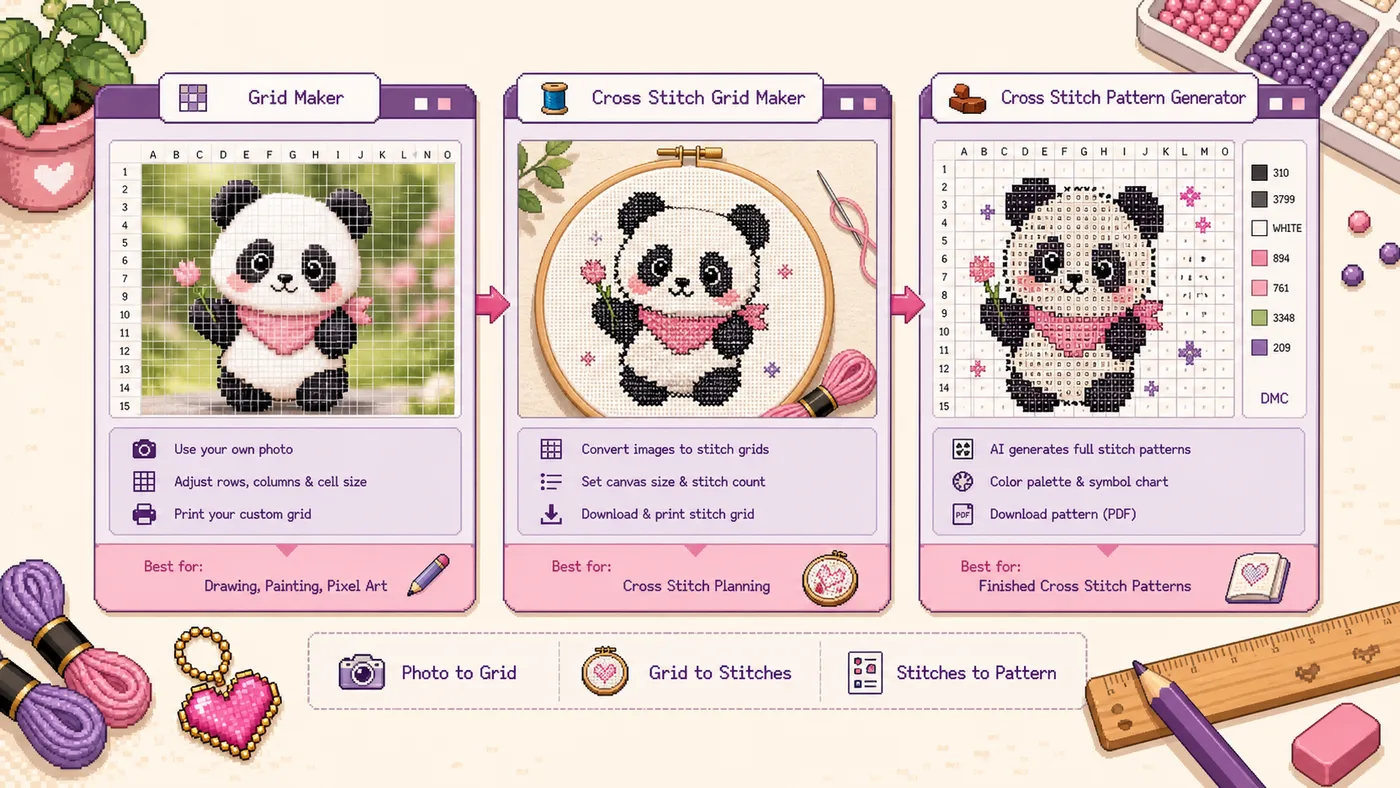
The short answer is simple: use Grid Maker for general drawing and reference grids, use Cross Stitch Grid Maker for printable stitch planning, and use the Cross Stitch Pattern Generator when you need a real stitchable chart.
Quick Decision
That split matters because a reference grid and a pattern generator are not the same tool. A reference grid helps you look, measure, copy, and plan. A pattern generator turns an image into instructions you can actually build or stitch from.
What Grid Maker Is Best For
Grid Maker is the general-purpose choice. It takes an image and places a customizable grid over it so you can study proportion, transfer shapes, or print a reference sheet.
This is the tool to reach for when your search intent is closer to drawing grid maker, image grid tool, reference photo grid, or add grid to photo.
What Cross Stitch Grid Maker Is Best For
Cross Stitch Grid Maker is narrower. It is for people thinking in stitches, counted blocks, worksheets, and printable reference pages.
A cross stitch grid maker is not automatically a complete cross stitch pattern maker. It helps you plan, but it does not replace color reduction, DMC mapping, symbols, floss lists, or fabric count math.
When to Use the Cross Stitch Pattern Generator Instead
Use the Cross Stitch Pattern Generator when the output needs to be a working chart, not just a reference image.
If you are new to symbols, read the Cross Stitch Symbol Chart Guide before printing a complex design.
Reference Grid vs Pattern Generator
If the download is only meant to guide your eyes, use a grid maker. If the download is meant to guide your hands through every stitch, use the pattern generator.
Real Examples
You are drawing a pet portrait from a phone photo. Use Grid Maker. You need proportion, not floss codes.
You are turning a simple icon into a beginner stitch worksheet. Use Cross Stitch Grid Maker. You need a readable reference, not a heavy chart.
You are making a detailed family photo into a cross stitch gift. Use the Cross Stitch Pattern Generator. You need DMC colors, symbols, and a realistic color count.
You are planning a mural from a small sketch. Use Grid Maker. The important question is whether the same grid relationship can be reproduced on the wall.
Common Mistakes
Quick FAQ
Can I use Grid Maker for cross stitch planning?
Yes, for early planning. If you only want to inspect shapes or print a rough reference, it can work. For stitch-specific planning, Cross Stitch Grid Maker is the clearer choice.
Can Cross Stitch Grid Maker replace a pattern generator?
No. It is a reference tool, not a full charting system. Use Cross Stitch Pattern Generator when you need symbols, DMC colors, floss counts, and finished-size planning.
Which tool is best for beginners?
For drawing beginners, start with Grid Maker. For stitching beginners, start with Cross Stitch Grid Maker if you are only exploring an idea, or Cross Stitch Pattern Generator if you are ready to make the project.
Final Recommendation
Do not choose by tool name alone. Choose by output. Use Grid Maker when you need a clean drawing or image grid tool. Use Cross Stitch Grid Maker when you need a stitch-friendly reference grid. Use Cross Stitch Pattern Generator when you need a real cross stitch chart with symbols and DMC planning.